
Clocking and the NSSO check-in
for your teams, at every client
Your cleaners clock in from their smartphone on arrival at each client, with the PulseTime Mobile app or by scanning the site's QR code. PulseTime records the time of each job and sends the check-in to the NSSO, client after client, early in the morning as well as in the evening.
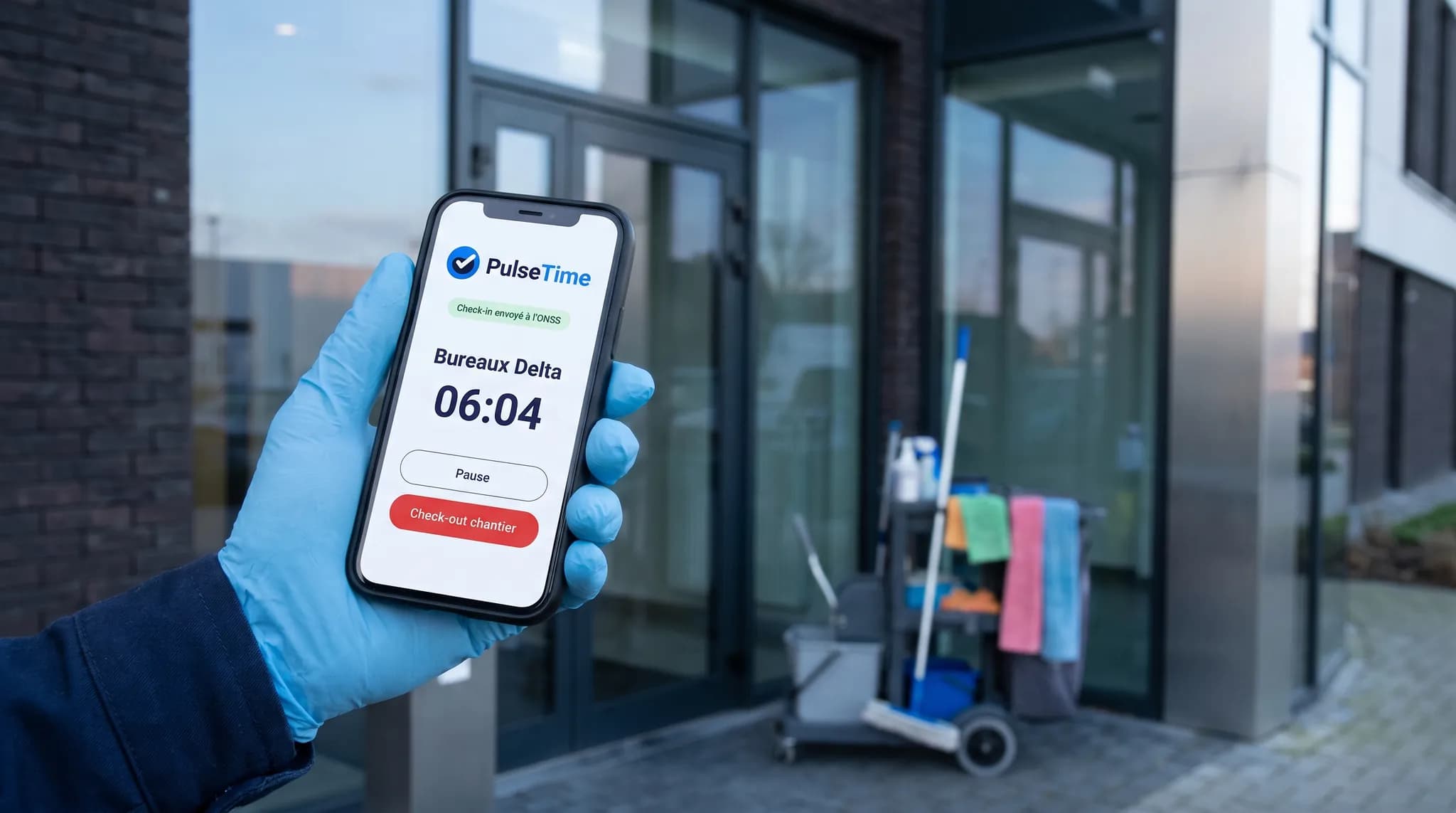
How your teams clock in at your clients
Your cleaners clock in from their smartphone, with the PulseTime Mobile app. You record each client site in PulseTime with its declaration of works number, and the check-in is sent to the NSSO the moment the cleaner makes it.
The check-in from the smartphone
On arrival at the client, the cleaner opens the PulseTime Mobile app, which suggests the site where the GPS places them. They confirm, and the check-in is sent to the NSSO. Where the client displays a QR code, one scan is enough.
The break, as the NSSO requires it
Check In and Out at Work also records breaks. The cleaner taps “Stop” when going on a break, and their departure is sent to the NSSO. When they come back, they tap “Start”, and the site check-in reopens.
Travel between two clients
When leaving, the cleaner taps “Site check-out” on their smartphone, then checks in at the next client. The travel in between stays within the time entry, outside the check-in.
A forgotten check-in gets closed
A check-in left open is closed automatically after the delay you set, and the cleaner is notified on their smartphone.
What PulseTime brings to your cleaning business
Clocking, the NSSO check-in and the hours per client all start from the cleaner's smartphone.
The NSSO check-in from the smartphone
The cleaner's check-in is sent to the NSSO the moment they make it, from the app or with the site's QR code. The break and the departure are sent the same way, and each submission shows its status: Declared, Refused or Too late.
Alerted at the right time
PulseTime alerts you when data is missing for the submission, or when a check-in arrives too late for the NSSO. That way you know which check-ins to review.
The hours of each client
The reports give the hours worked at each client, cleaner by cleaner, to check a contract or prepare an invoice.
The attendance register, exported
The attendance register can be exported as PDF, Excel and CSV. With the Payroll provider option, your payroll provider's import file is ready every month.
Each cleaner in their own language
Each cleaner uses PulseTime in French, Dutch, English or German, as they prefer.
Tracked corrections
A forgotten or wrongly clocked time entry is corrected at the cleaner's request. You approve it, and the history keeps the time before and the time after.
Try PulseTime free for 15 days, with no credit card.
15-day free trialThe law in brief
Since 1 September 2024, cleaning work carried out on behalf of a third party must be registered with the NSSO, on the arrival and departure of each person, breaks included, on site and as it happens. The obligation depends on the value of the work and the number of subcontractors, and it applies neither to service vouchers nor to the cleaning of your own premises.
Frequently asked questions
- Are check-ins sent to the NSSO?
- Yes. For cleaning, sending to the NSSO is operational, and each check-in shows its status.
- How much does the site check-in cost?
- It is an option at €0.75 excl. VAT per month, per team member whose check-in is active. Clocking itself is included in the subscription.
- Where do I enter the declaration of works?
- The declaration of works is made with the NSSO, as it is today. Its number is then entered in the client's work location, and each check-in uses it.
- What if the cleaner has no signal at the client?
- The clock-in stays on the smartphone and is sent as soon as the connection is back. The check-in, however, must reach the NSSO as it happens. If it arrives too late, it is not sent: PulseTime marks it “Too late” and alerts you.
- A cleaner works at three clients on the same day?
- They check in from their smartphone on arrival at each client, and check out when leaving. Each client has its own hours, and the travel between two clients stays within their time entry.
- Do agency workers and students also have to register?
- Yes, Check In and Out at Work covers everyone present on the site. In PulseTime, they clock in like everyone else, with their national register number in their profile.
- Are home helpers paid with service vouchers covered?
- Not by Check In and Out at Work, which excludes service vouchers. They can clock their hours in PulseTime from their smartphone, like any team member. For the future working-time law, the draft bill excludes mobile staff, and the text finally passed will say whether they are among them.
The other sectors
The screens on this page are illustrations. The names, locations and hours are fictitious.
Ready to simplify time tracking?
Create your account in 2 minutes. The free trial lasts 15 days, with no commitment.
Get started for freeA question before you get started?
081 / 24 39 80info@pulsetime.beRequest a demoMonday to Friday, 8:30 a.m.–12 p.m. and 1 p.m.–5 p.m.