
Time tracking for your technicians,
from one client to the next
Your technicians clock in from their smartphone when they arrive at the client, and they change location when they leave for the next one. PulseTime records the hours spent at each client, ready for your invoices and for payroll.
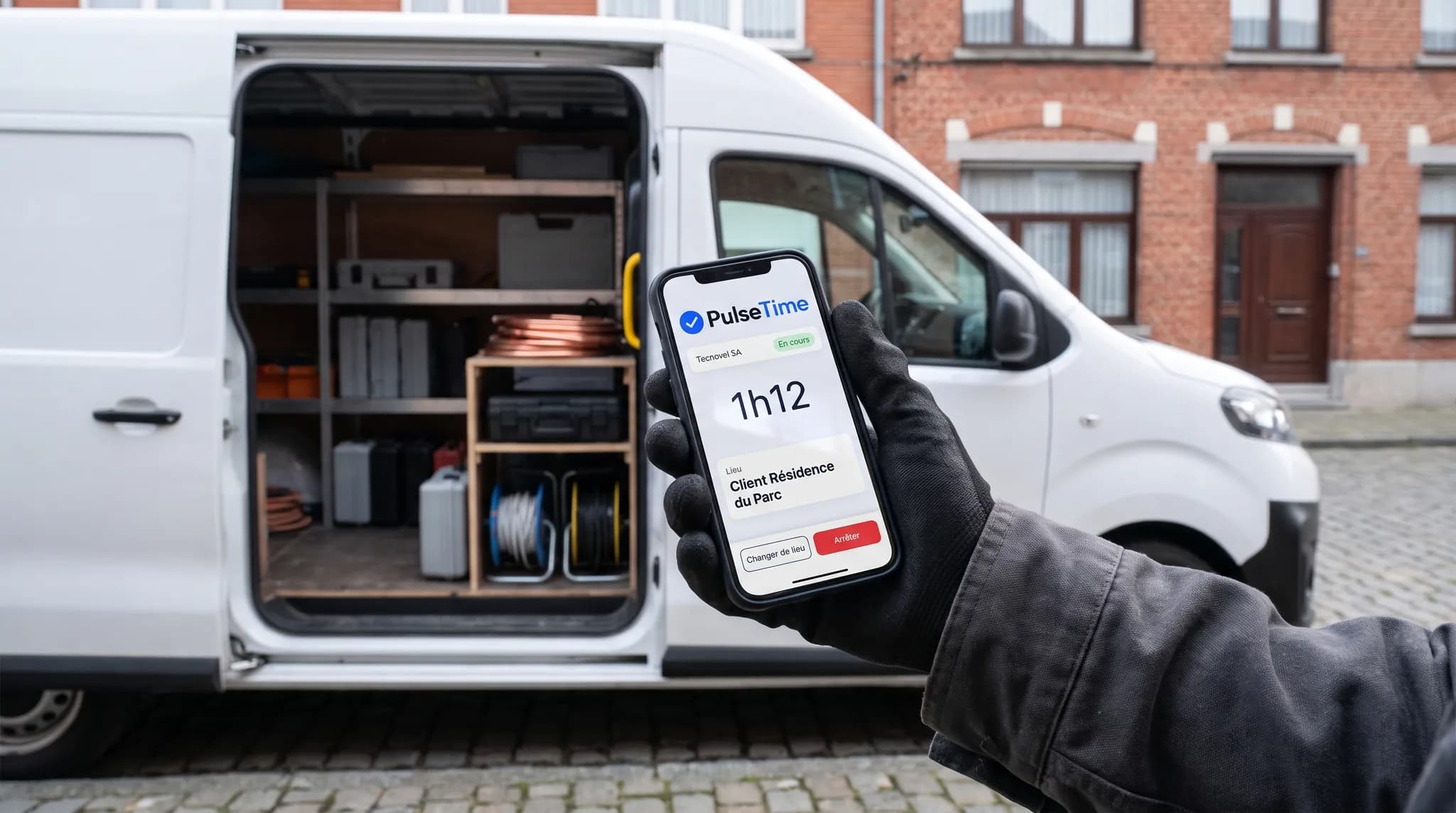
How your technicians clock in on the road
The smartphone is enough. The technician clocks in wherever they are, and every hour is assigned to the client they are working for.
Clocking in at the client
The technician taps “Start” in the PulseTime Mobile app. Their GPS position is recorded at the moment they clock in, and only at that moment.
From one client to the next
When leaving for the next client, they tap “Change location”. They stay clocked in, and their hours move to the new client.
An unplanned job
For a client who is not yet in the list, the technician picks “Other location”. You then link the time entry to the right client.
Even in a cellar
In a cellar, a boiler room or a plant room with no signal, the clock-in stays on the smartphone and is sent as soon as the connection returns, with the time of the action.
What PulseTime brings to your business
The hours of each client are ready for your invoices and for payroll.
Hours per client
The reports give the hours spent at each client and on each site, to prepare a time-and-materials invoice or check a fixed price.
Who is working, live
The dashboard shows who is at work, on a break or gone, and you check it from your smartphone.
The position at the moment of clocking in
When the technician clocks in, PulseTime records their GPS position, to confirm that they are clocking in at the client.
Missed clock-ins corrected and on record
A forgotten clock-in is corrected at the technician's request. You approve it, and the history keeps the time before and the time after.
Payroll without re-keying
With the Payroll provider option, PulseTime prepares your payroll provider's import file every month. PDF, Excel and CSV exports are included in the subscription.
The Planning module arrives on 1 January 2027
This new PulseTime module will be included in your subscription. You will use it to prepare your technicians' schedules, with their appointments in the app, and manage leave requests and absences.
Try PulseTime free for 15 days, with no credit card.
15-day free trialFrequently asked questions
- Do I need to create a location for every client?
- For your regular clients, yes: each client becomes a work location, with or without a GPS position. For a one-off job, the technician picks “Other location”, and you then link the time entry to the right client.
- Does the day start at home or at the first client?
- That depends on your work rules and your joint committee. The technician clocks in at the agreed moment, wherever they are, and PulseTime records the time and the position of that clock-in.
- A technician forgets to clock in at a client?
- They request the correction from their smartphone. You approve it, and the history keeps the time before and the time after.
- My technicians work on a large construction site?
- On a construction site of €500,000 excl. VAT or more, their presence is registered with the NSSO, like that of the other trades. PulseTime's site check-in is intended for registration on arrival and on departure, which will apply to these sites from 1 April 2027.
- How much does PulseTime cost for a team of technicians?
- From €2.50 to €3.50 excl. VAT per active team member per month, depending on the plan, with no hardware to buy. The free trial lasts 15 days, with no credit card.
The other sectors
The screens on this page are illustrations. The names, locations and hours are fictitious.
Ready to simplify time tracking?
Create your account in 2 minutes. The free trial lasts 15 days, with no commitment.
Get started for freeA question before you get started?
081 / 24 39 80info@pulsetime.beRequest a demoMonday to Friday, 8:30 a.m.–12 p.m. and 1 p.m.–5 p.m.